

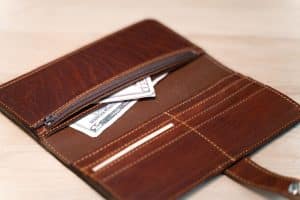


Clean a leather mouse pad with a soft, dry cloth after moving the mouse and other desk items out of the way. Remove loose grit gently, check the underside, and blot accidental spills rather than soaking the pad. Buffalo Billfold Company leather mouse pads need a care routine suited to leather, which is different from washing a cloth gaming mat or wiping a hard desk surface.
The aim is to remove debris while preserving the surface you use every day. A mouse pad does not need to be polished to a high shine or coated to feel slippery. Keeping both the pad and the mouse reasonably clean is a better starting point for consistent everyday use.
What kind of leather mouse pad do you have?
Identify the top surface, backing, and any stitching before selecting a treatment. A smooth leather face and suede backing are different surfaces. A product appropriate for one should not automatically be applied to the other.
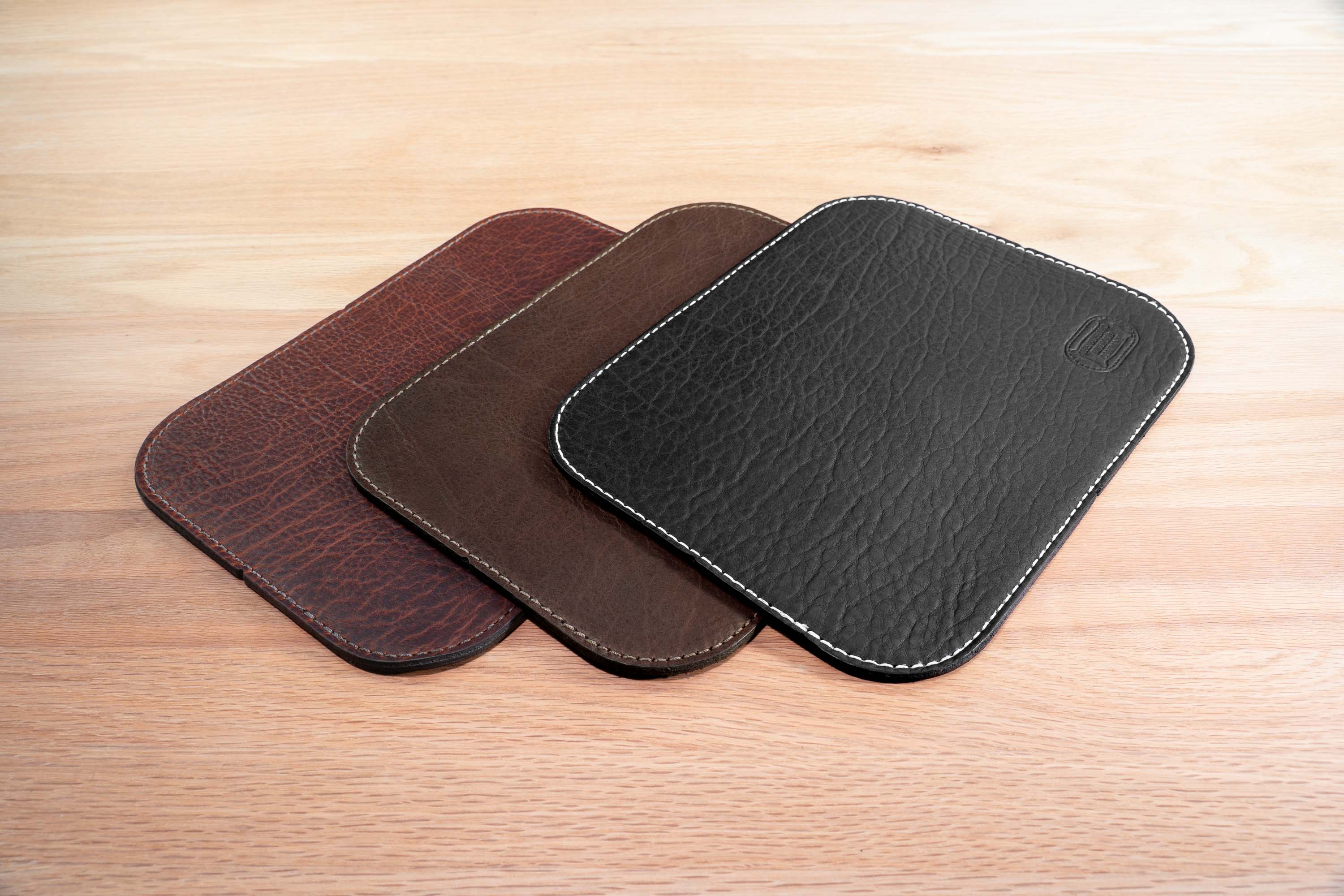
Buffalo Billfold Company’s standard leather mouse pad uses American Bison leather. The round leather mouse pad offers a circular design, while the premium leather mouse pad specifies suede backing and stitching.
Check the product description instead of assuming that every mouse pad in a leather range has the same layers. That information helps you clean the underside appropriately and understand which surfaces should remain free of cream, polish, or cleaner residue.
What is the simplest cleaning routine?
- Move the mouse and anything resting on the pad to a clean area.
- Look for grit or debris before wiping, so you do not drag hard particles across the leather.
- Gently lift loose debris and wipe the smooth surface with a soft, dry, lint-free cloth.
- Lift the pad carefully and check the underside and desk for trapped dust or moisture.
- Return the dry pad to a clean, dry desk and replace the mouse after checking it separately.
Work with light pressure rather than repeatedly rubbing one small patch. If the cloth catches on an area, stop and examine it. A loose particle, a natural mark, and damaged leather should not all be treated as dirt that needs more force.
Use a dedicated clean cloth. A cloth carrying screen cleaner, disinfectant, furniture polish, or hand cream can leave a film even if it removes visible dust. Keeping separate cloths for electronics, the desk, and leather makes it easier to maintain the surface you intended to clean.
How should you handle a spilled drink?
Move the mouse away, lift the pad from any wet desk surface, and blot accessible liquid with a clean, absorbent cloth. Support the pad while moving it so you do not bend a damp area sharply. Allow it to dry naturally at room temperature.
Keep the underside from sitting against a damp surface during drying. There is no fixed drying time that fits every spill and construction, so check the whole pad rather than relying on the top alone. Put it back into use when it is dry and free of loose residue.
If coffee, a sweetened drink, or another substance leaves a sticky area, ask Buffalo Billfold Company about that specific spill. Identify what spilled and what you have already done. Do not automatically apply a household degreaser or add enough water to rinse the material through.
Should you use conditioner to make a mouse glide better?
No. Conditioner is not a mouse-performance adjustment. It can change the leather’s feel and leave residue if the product or amount is unsuitable. A pad that needs dust removed should not receive an oil or polish treatment merely to make it feel slick.
Buffalo Billfold Company’s conditioning guidance recommends a light approach when suitable smooth leather actually looks or feels dry. For a mouse pad, ask about the product and test any recommended treatment cautiously before affecting the entire working surface.
If cursor movement changes, first inspect the pad for loose debris and follow the mouse manufacturer’s instructions for cleaning the device. Compare the mouse’s behavior on a surface where it normally works before concluding that the leather needs treatment. A computer accessory issue and a leather care issue are not always the same problem.
How do you clean suede backing?
Start with gentle removal of loose, dry debris. Keep cream intended for smooth leather away from the suede. The backing’s texture is part of the product, so do not try to turn it into a smooth, shiny surface by rubbing or coating it.
Buffalo Billfold Company’s detailed leather cleaning article makes this material distinction explicit: the cream discussed for certain smooth finishes is unsuitable for suede and nubuck. Apply that distinction to a suede-backed mouse pad instead of treating both sides identically.
If the backing has absorbed a spill or its texture has changed, request guidance before using a brush, eraser, or liquid treatment. Also clean and dry the desk itself with the desk manufacturer’s recommended method before returning the pad, so the backing does not pick up fresh residue.
What do marks and shiny areas mean?
Leather can show changes where the mouse and your hand repeatedly contact it. Those changes are different from a removable layer of dust. The standard mouse pad’s description also notes that natural scuffs and scarring may be present in the bison leather when it is made.
A smooth or darker area is not automatically a reason to replace the pad. Examine whether there is loose contamination, a change in function, or actual damage. Our Longhaul Guarantee specifically identifies scratches and mouse-use marks as cosmetic matters outside the stated coverage.
Avoid abrasive erasers, sandpaper, or aggressive rubbing to make a used area match an untouched one. Removing or altering the surface may change the working feel you were trying to preserve. If a particular mark concerns you, send a photo rather than attempting to erase it first.
What should you do about common mouse-pad problems?
| Issue | Start with | Do not use as a shortcut |
|---|---|---|
| Loose grit | Gentle dry removal | Scrubbing the grit across the leather |
| A fresh drink spill | Blotting and natural drying | Immersion or forced heat |
| An oily or sticky surface | Identifying the source and asking about treatment | More conditioner or household degreaser |
| A dusty underside | Gentle removal and cleaning the desk separately | Cream spread across suede backing |
| Changed cursor behavior | Inspecting the pad and mouse separately | Polishing leather to alter tracking |
The order matters. Removing loose material before rubbing, and identifying a residue before adding a product, helps keep a small cleanup from becoming an unnecessary restoration project.
How can you reduce cleaning work?
Keep drinks on a separate leather coaster and give hand products time to dry before using the desk. Move the pad away when spraying cleaner on nearby surfaces. Those habits limit spills and overspray without requiring a complicated maintenance schedule.
When transporting or storing the pad, keep it dry and avoid forcing it into a tight fold. A clear space on the desk and sensible storage do more for everyday care than repeated conditioning. Follow our storage guidance for longer periods out of use.
Common leather mouse-pad questions
Can I wash a leather mouse pad like a cloth mat?
Do not use a washing machine or full immersion for Buffalo Billfold Company leather mouse pads. Their leather construction calls for gentle surface care and natural drying after accidental moisture.
Are alcohol wipes suitable for the pad?
Do not transfer an electronics-cleaning routine to the leather surface. Use the mouse manufacturer’s instructions for the device and Buffalo Billfold Company’s instructions for the pad.
Is a suede-backed mouse pad harder to maintain?
It adds a surface that needs to be treated differently from smooth leather. For routine dust, gentle dry care is still straightforward. The key is keeping smooth-leather creams and desk-cleaning products off the suede.
When choosing a pad, compare the shape, backing, and leather character of the standard, round, and premium designs. Choose the surface you want to use, then maintain it with a simple routine suited to its construction.



 Google
  Facebook
  Trustindex


